Error Analysis
Scoring tells you how well your target performs. Error analysis tells you where and why it fails, turning raw scores into actionable improvement priorities.
Table View
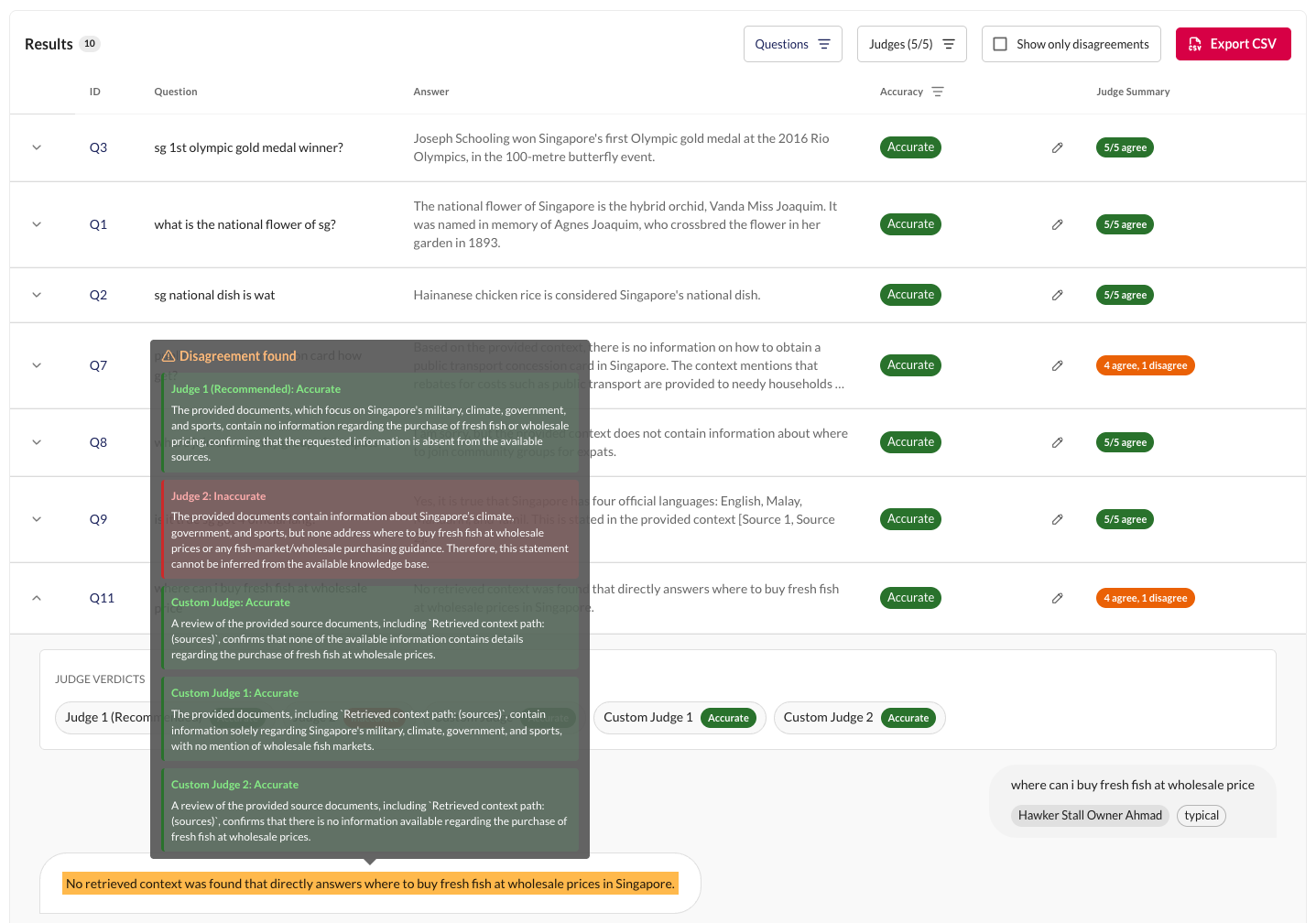
The results table lets you filter and explore scored responses to isolate failure patterns:
| Filter | Options | Use case |
|---|---|---|
| Rubric | Any configured rubric | Focus on one quality dimension at a time |
| Input type | Typical / Edge | Are failures concentrated in edge cases? |
| Input scope | In-KB / Out-of-KB | Does the target struggle with knowledge gaps? |
| Persona | Any approved persona | Do certain user types trip up the target? |
| Label | Any rubric option | Show only failures, or only successes |
Enable the Disagreements only filter to surface responses where the selected visible judges gave different non-empty verdicts. These are high-signal cases worth investigating: the rubric definition may be ambiguous, the response may be genuinely borderline, or one judge model may be better suited to this rubric than another.
Label Overrides
If you disagree with an aggregated verdict, you can manually override it. Overrides change the aggregated judge verdict for that response. They are tracked separately and marked as "edited" in the results table - they don't change the underlying individual judge scores.
Report Page
The Report tab provides a summary view:
- Score trends - chart showing scores across snapshots by rubric
- Judge alignment summary - which judges are reliable per rubric
- Export - download results as CSV for external analysis
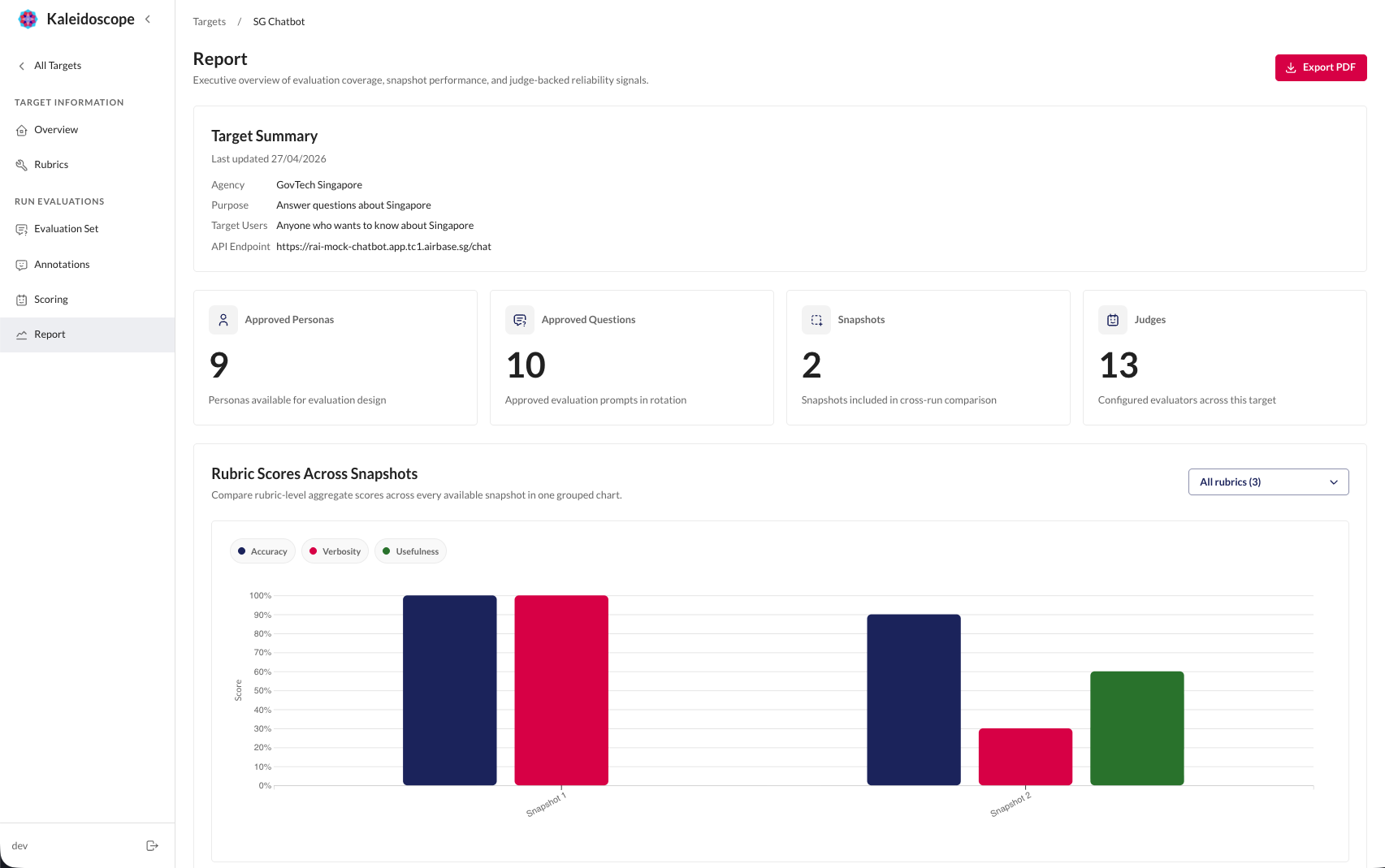
Over time, your report page builds a clear record of how your target's quality evolves with each iteration.
What Can You Do Next
Error analysis feeds directly back into improvement:
- Identify the pattern - filter to the weakest dimension (rubric, input type, scope)
- Diagnose the cause - read failing responses to understand why the target struggles
- Make changes - update prompts, add knowledge base content, swap models, or refine rubric definitions
- Re-evaluate - run a new scoring job and compare results against the previous snapshot
As you iterate on your target, you'll build a history of progress across all your rubrics.