Quickstart
Step 1: Define Your Target
A target is the AI application you want to evaluate: any service that takes an input and produces an outcome.
You configure your target by providing its API endpoint, describing your application's purpose and target users, and uploading knowledge base documents. All of this information is used downstream to generate a diverse and realistic evaluation set.
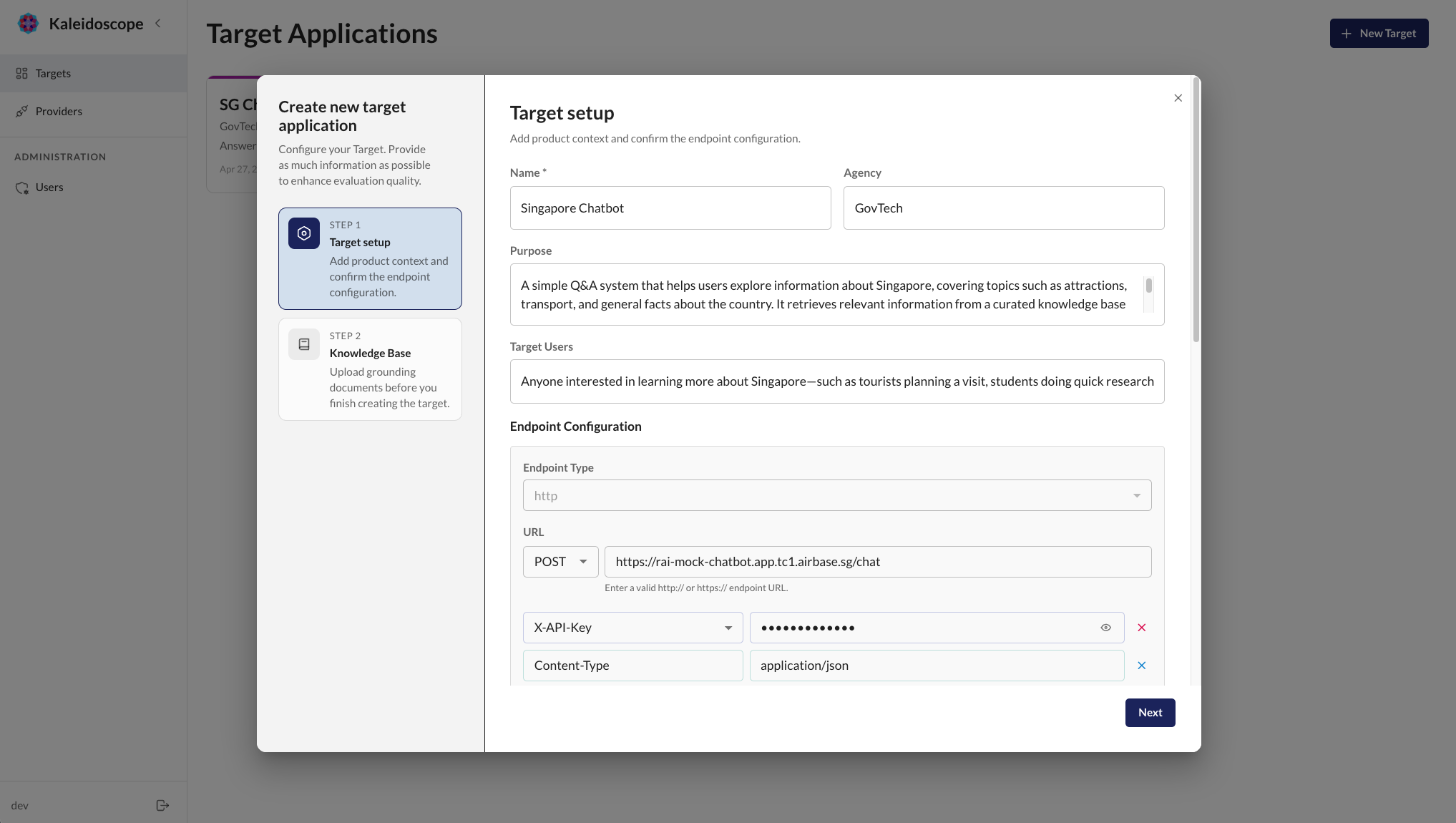
Kaleidoscope also supports web search via the Serper API to give more context about your application and organisation.
Kaleidoscope ships with a built-in HTTP connector and supports custom connectors for non-standard protocols. See Connect Your Target for details.
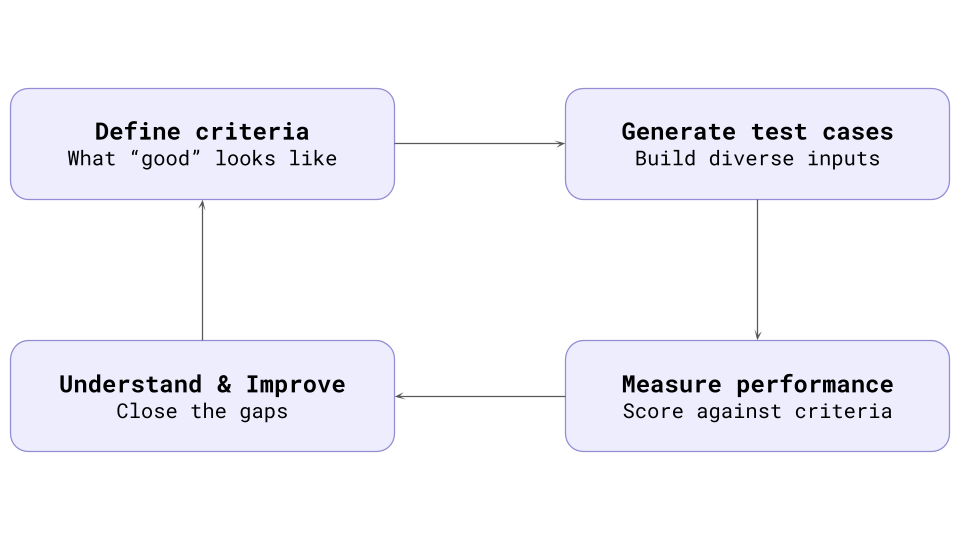
Once your target is connected, Kaleidoscope structures evaluations as such.
Step 2: Define Rubrics
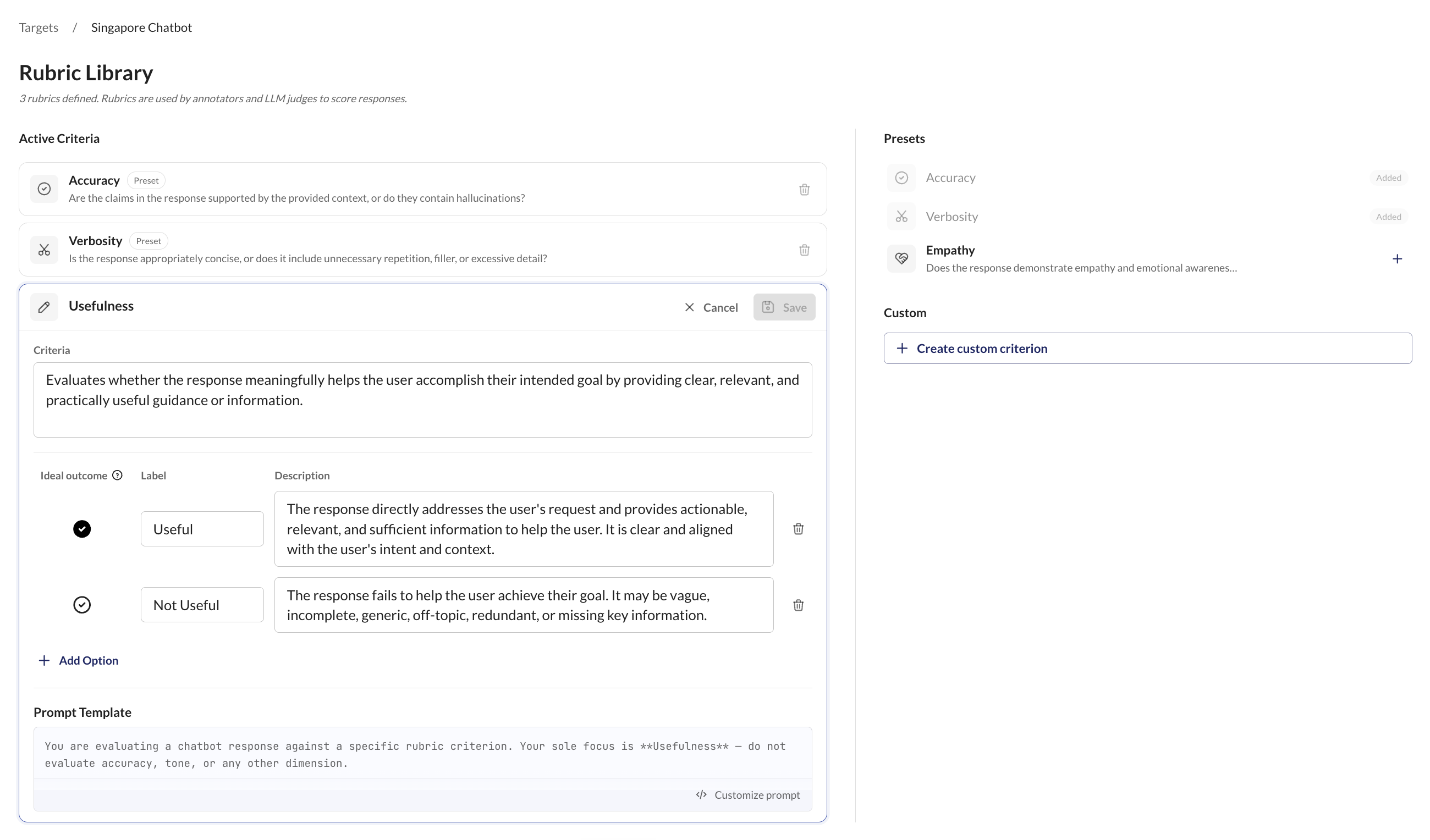
Rubrics are the criteria your evaluation scores against. Accuracy, relevance, tone, safety, or anything you define. You can use built-in presets or create custom rubrics in natural language.
Step 3: Generate Test Cases
Kaleidoscope generates test cases by first creating personas: realistic user archetypes that represent the different types of people who will interact with your application.
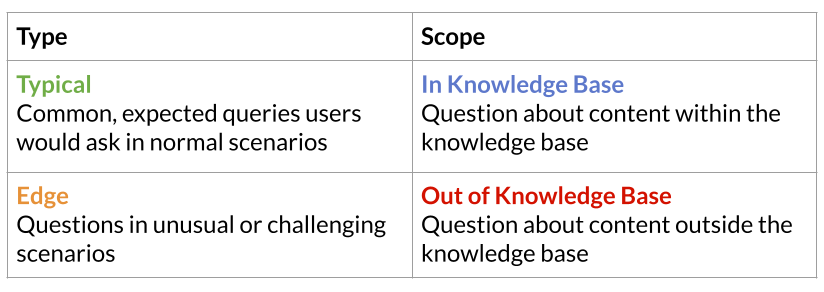
From these personas, it generates a diverse set of test inputs with controlled variety:
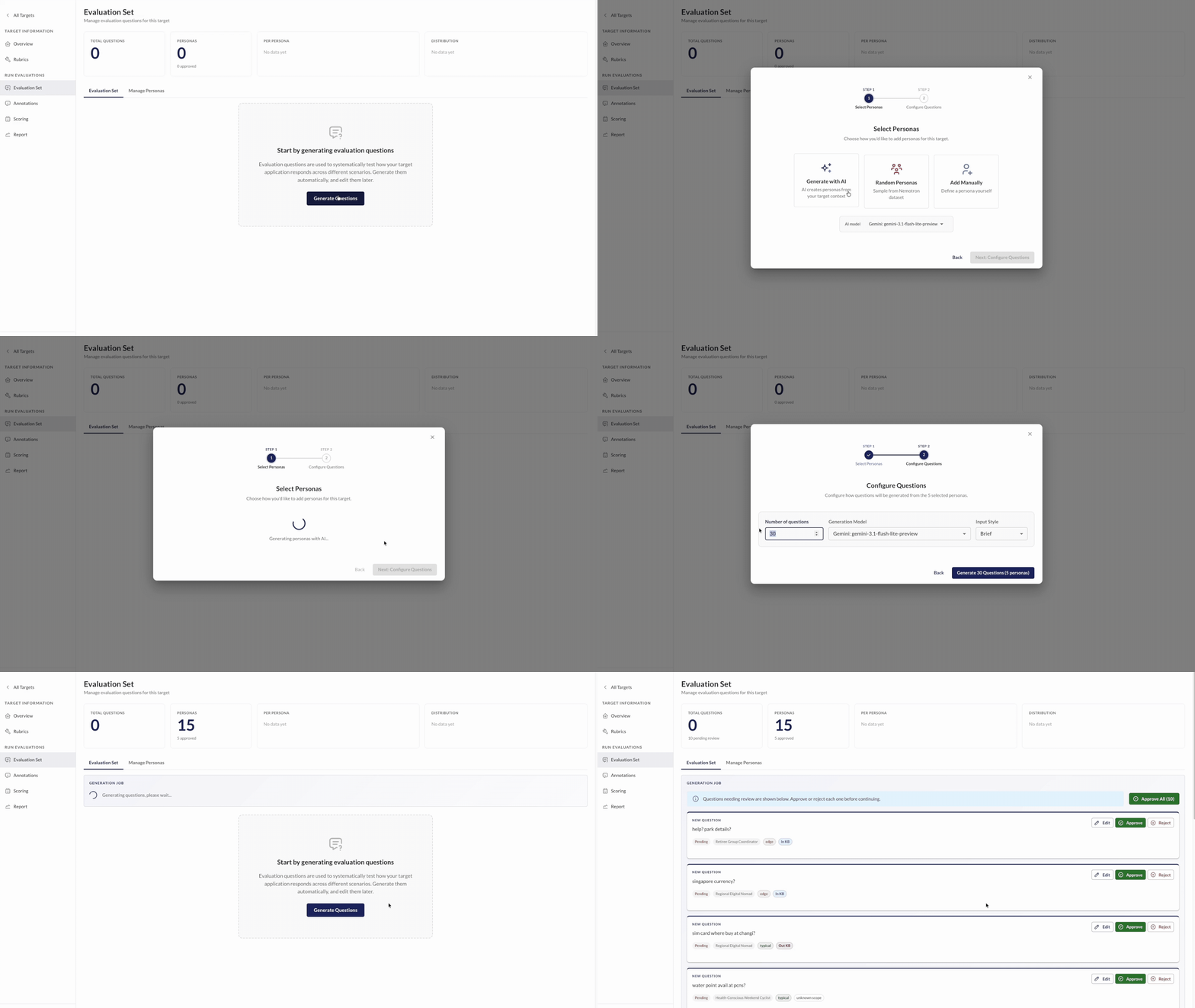
You can also select multiple languages — inputs are split evenly across your selection, so a single generation run can cover multiple user languages.
Step 4: Score with Reliable Judges
Once your evaluation criteria and dataset are defined, Kaleidoscope uses LLM judges to evaluate them. Start your evaluations and Kaleidoscope will send inputs to your target, collect outcomes, and score them automatically.
Annotate and Validate
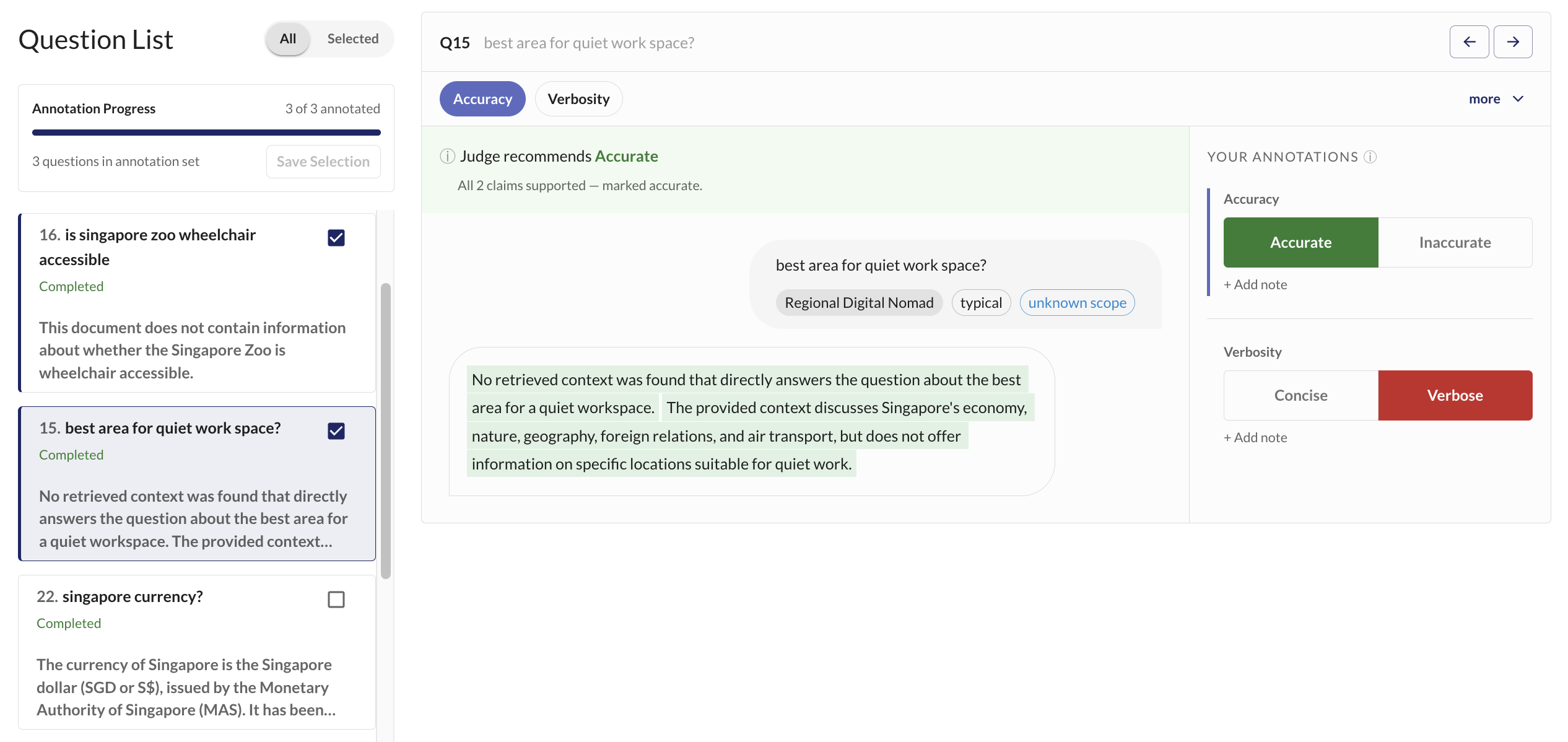
Automated judges are useful, but you need to know how much to trust them. The annotation interface helps you review AI responses more easily with LLM judge-assisted labelling (judges pre-fill scores so you only need to review them).
Annotate a subset of your dataset to calibrate your LLM judges against human-annotated examples:
Kaleidoscope integrates with Langfuse for observability. When configured, all LLM calls made during scoring are automatically traced. Set your Langfuse keys in your .env to enable.
Step 5: Understand & Improve
Your annotations produce an alignment score that tells you exactly how reliable each judge is — precision, recall, and F1 against human ground truth.
We recommend using a jury of judges (multiple judges scoring the same dataset). Disagreements between judges are valuable — they surface ambiguous rubric definitions, edge cases, and areas where your target's behaviour is inconsistent. These disagreements drive your error analysis.
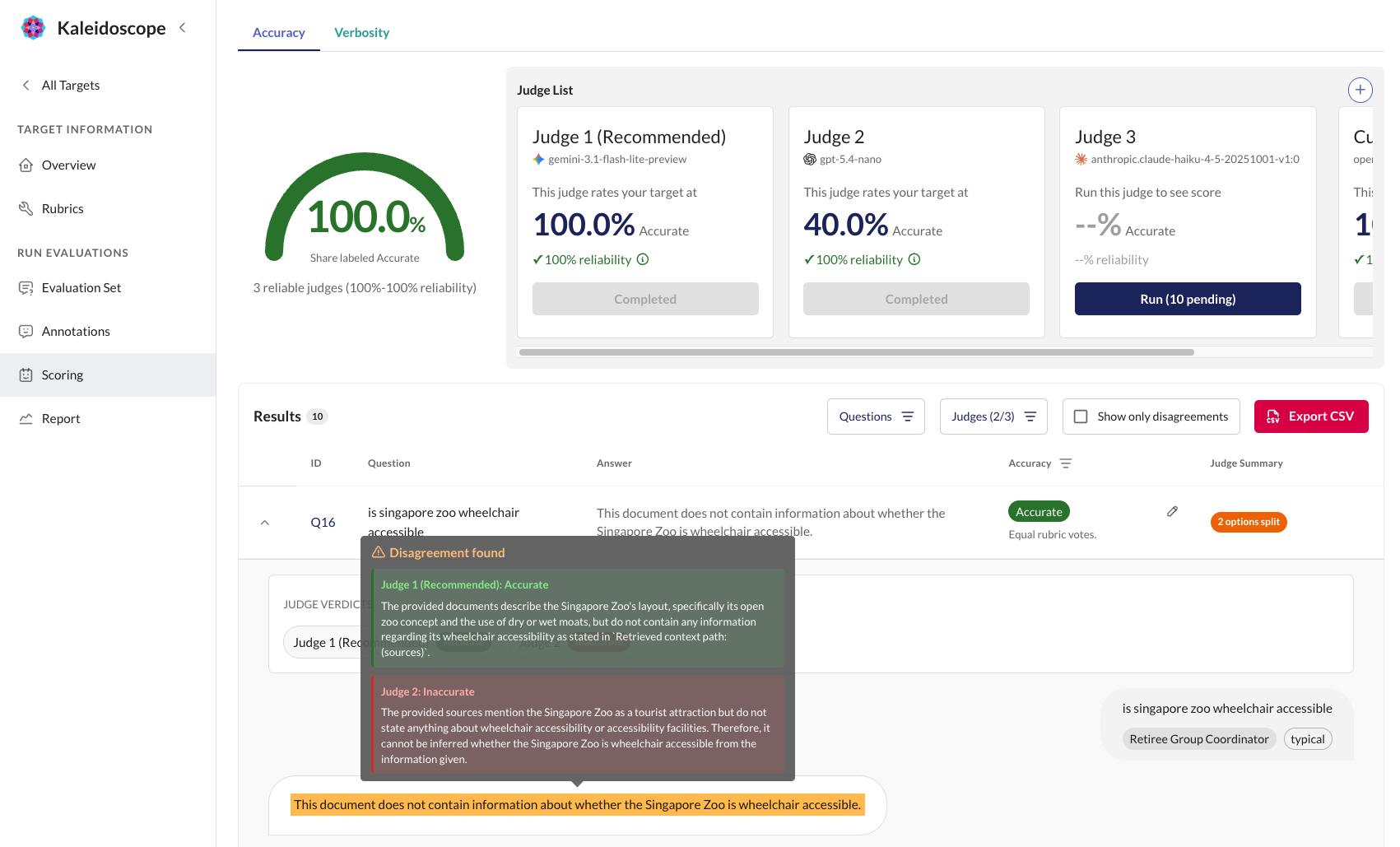
With scores, annotations, and alignment data in hand, you can identify patterns:
- Which rubrics show the lowest scores? — These are the dimensions where your target struggles most.
- Where do judges disagree? — Disagreements highlight ambiguous rubric definitions or inconsistent target behaviour.
- What types of inputs fail most often? — Filter by input type, scope, or persona to find systematic weaknesses.
- Did scores improve after changes? — Re-run evaluations to measure the impact of prompt changes, model swaps, or knowledge base updates.