Define product requirements
In this part of the interview, you and the Wizard write down what your application must do well, as Features, Behaviours, and Criteria. See The Wizard guides your specifications.
1. Tell the Wizard about your target
Answer the Wizard's questions about your application. Short, specific answers give better tests. After up to five questions, the Wizard drafts the Behaviours.
2. Select the key Behaviours
Select the Behaviours that you want to measure. Choose 5 or fewer.
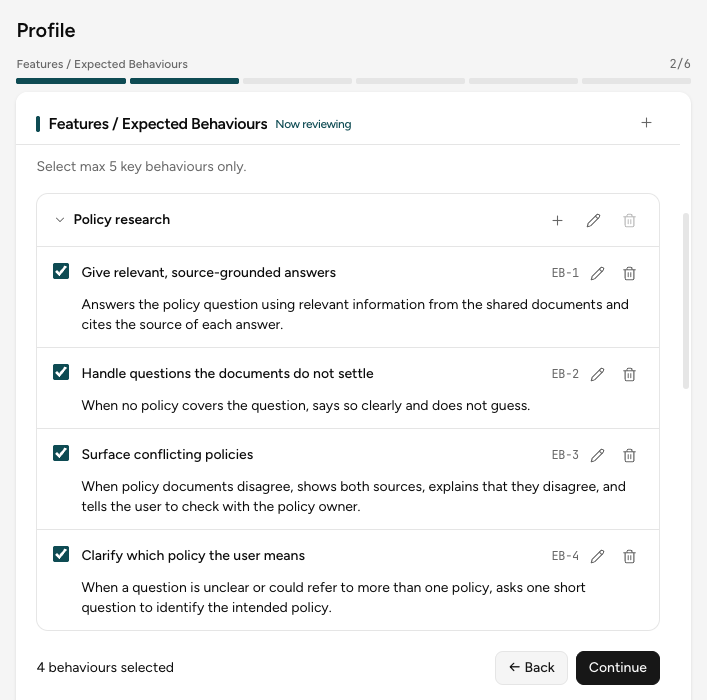
To add, edit, or delete a Feature or a Behaviour, select +, the pen, or the trash icon. You can also ask in the chat. Select Continue.
3. Edit the Criteria
The Wizard writes Criteria for each selected Behaviour and picks a grader for each one. Select Grader: under a Criterion to see the grader and its settings.
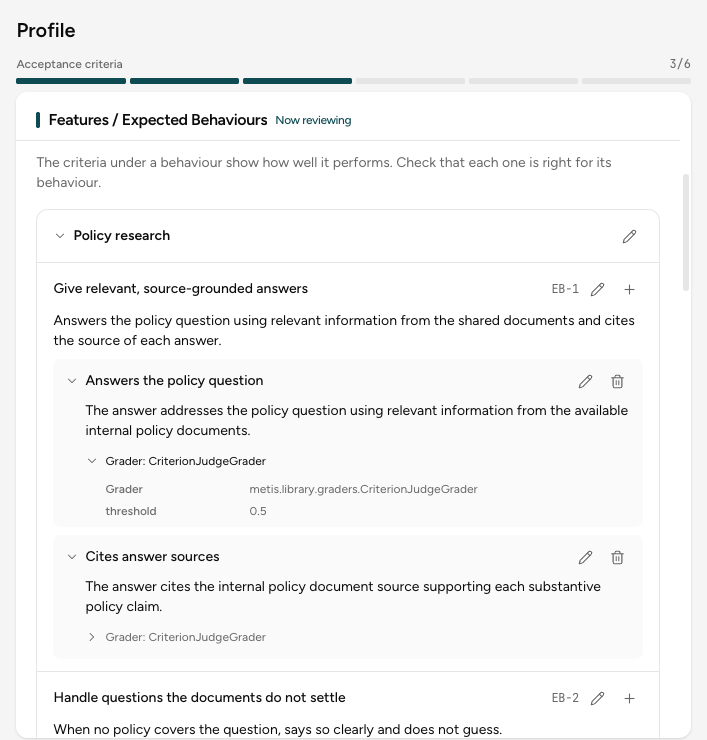
To change a Criterion, select the pen. To add one, select + on a Behaviour. Select Continue.
When no grader fits
The Wizard picks the grader from the words of the Criterion. When no grader in the library fits, it uses the criterion judge, an LLM judge that follows the text of the Criterion. So write each Criterion as one clear check.
Go back
Each review step has ← Back. It opens the step before, with your changes kept.
Using the CLI?
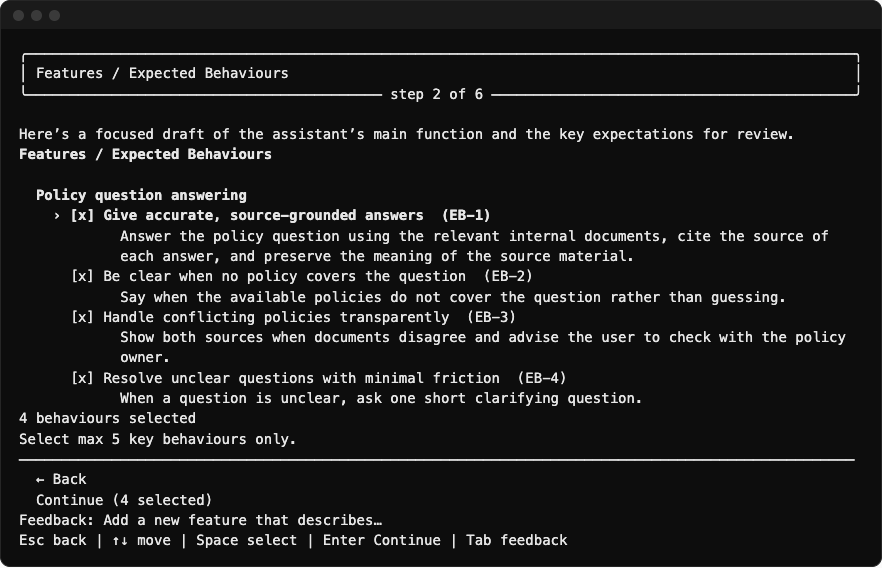
Press Space to select, Enter to continue, Tab to type a request, and Esc to go back. On the Criteria review, press the right arrow to see the grader of a Criterion.